
Pure Writer Desktop
For Windows and macOS · Free for now
Downloadv5.1.0 · November 6, 2026
Other downloads:macOS (Apple silicon)macOS (Intel)Windows (x64)
Not sure which chip your Mac has? Choose Apple menu › About This Mac. If it shows “Chip Apple M…” or “Chip Apple A…”, download the Apple silicon version; if it shows “Processor … Intel …”, download the Intel version.
Please download and update Pure Writer Desktop only from this page, so you don’t end up with an installer that someone else has repackaged with risky code.
SHA-256 checksums
- PureWriter2-5.1.0-Windows-x64.exe
- 4d8f9f54b522c8aaa1d4744b9faead966fe94b6d7fb795e48be89d97f8dc7b26
- PureWriter2-5.1.0-macOS-aarch64.dmg
- d96308160b166324d99d01a7ec48c0884a9abb19ac58035d4bab9e605c845bc2
- PureWriter2-5.1.0-macOS-x64.dmg
- f3c20674eb4444f4147285bcec1e3498186d50f5b7e9e7322d40179ca983ae0a
What’s Newv5.1.0
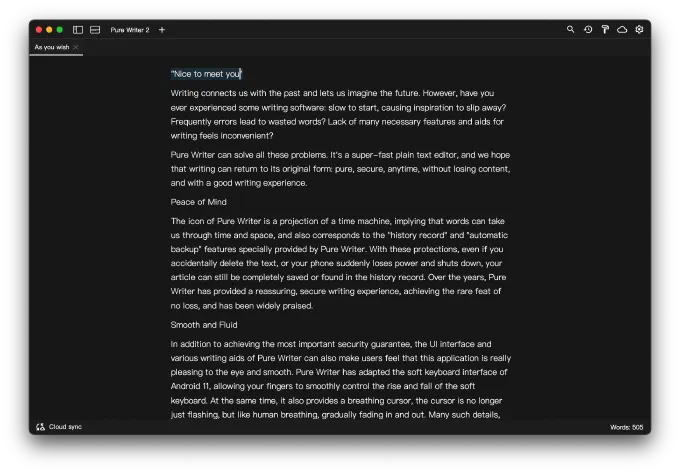
- The caret now glides smoothly, and when it stops it fades out and back in like a breath; holding an arrow key draws one continuous path. Both are on Windows now too.
- In fonts that use ligatures, you can now place the caret between characters that are shown merged, and click or select a single one of them, such as one of the two dashes in a joined “——”.
- Text in the editor lays out faster, and long documents use less memory when opened.
- Fixed an issue where opening the backup window could freeze for a few seconds.
Installing and Updating
- Before updating, quit Pure Writer Desktop, then run the new installer. This way you won’t be asked to restart after installing.
- On Windows, some antivirus software flags installers that don’t have a digital signature. Pure Writer is made by a registered company, so you can safely add the installer and the install folder
C:\Users\<username>\AppData\Local\Pure Writer 2to your allowlist. - If Pure Writer doesn’t open after installing, try allowing it through “Ransomware protection” (Controlled folder access) in Windows Security.
- If Pure Writer for Windows v2.1.9 is still on your computer, uninstall it first in Settings › Apps › Installed apps, then install the new version.
Syncing with Your Phone
Pure Writer Desktop syncs through a cloud drive. You don’t need a Pure Writer account, and your phone doesn’t need to be online at the same time. In Pure Writer on your phone, choose the same cloud drive as on your computer and sign in to the same account, and the two will stay in sync. Please keep Pure Writer on your phone up to date, too.
Feedback
We’re still polishing Pure Writer Desktop. If you run into a problem or have a suggestion, please email writer@drakeet.com.
The all-new Pure Writer Desktop was first released on June 20, 2024, the day before the summer solstice.